
Choose which page opens first whenever you open a company: the Probability of Distress (PoD®) profile, the Snapshot profile or the Health Profile
|
Please note: This setting is available to Gold subscription users only. |
- Click the user icon at the top right of the page and select Account Settings.
- Scroll down to Preferences.
- Next to Companies open on, choose one of the following:
- Your choice is saved automatically, and a green Saved tick appears.
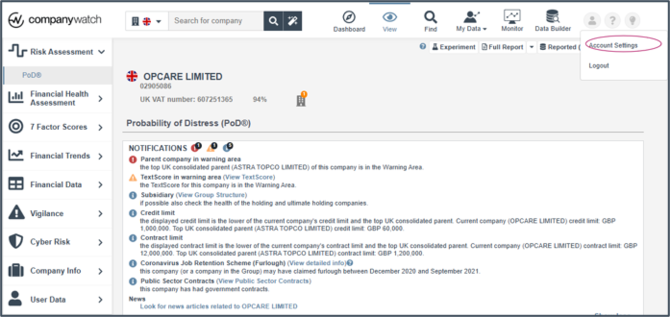
Opening Account Settings from the user menu.
-
- Probability of Distress profile
- Snapshot profile
- Health Profile
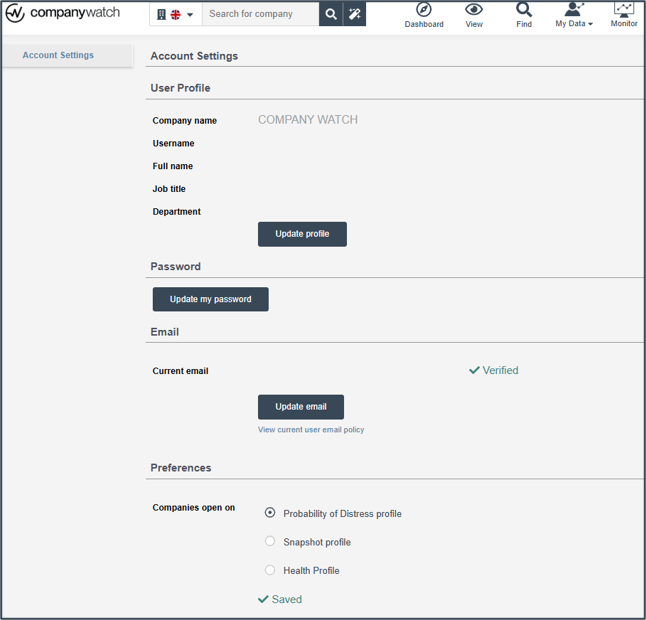
What will I see when I open a company?
Every company you open will now start on the page you selected.
Good to know: If you have a portfolio, this setting also applies to your Portfolio Overview. If you choose the Probability of Distress profile, it opens on the PoD® view. If you choose the Health Profile or Snapshot profile, it opens on the H-Score® view
Probability of Distress profile
The company opens on the PoD® page, showing the PoD® percentage, risk band, credit limit, contract limit and PoD® history chart.
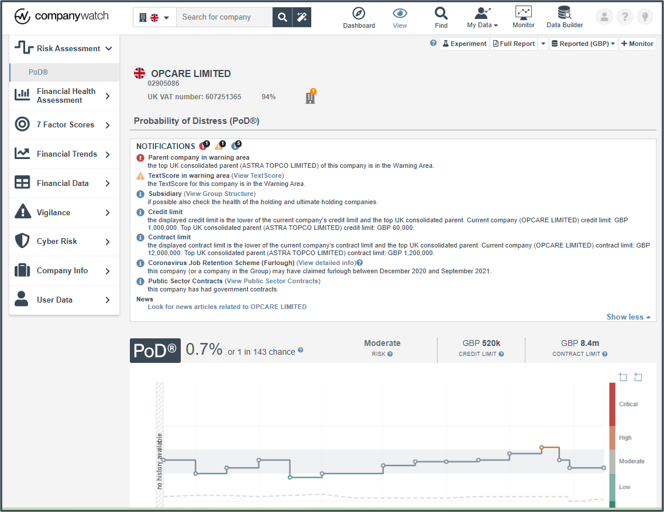
A company opened on the Probability of Distress (PoD®) profile.
Health Profile
The company opens on the usual Health Profile page, showing the H-Score®, 3 Year FDI, risk rating, credit limit, contract limit and Key Financials.
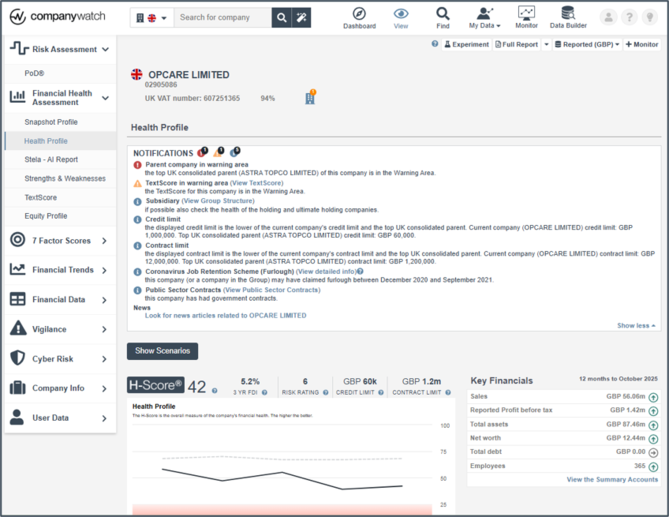
A company opened on the Health Profile with the H-Score®.
Snapshot profile
The company opens on the Snapshot Profile, found under Financial Health Assessment in the left-hand menu.
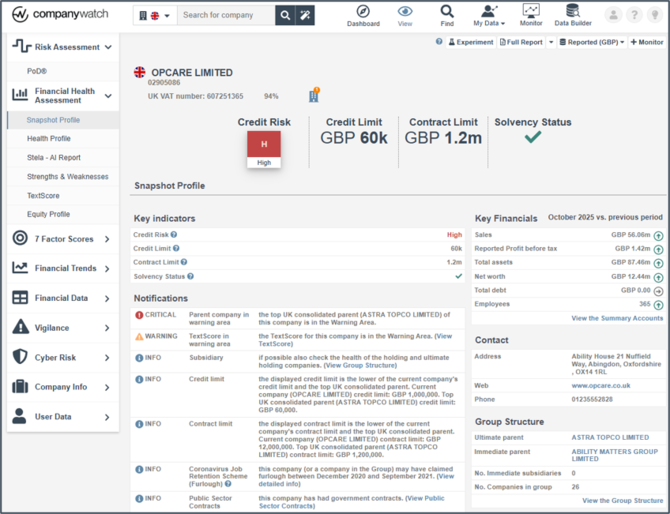
A company opens on the Snapshot Profile.
|
Please note: You can change this setting at any time in Account Settings. Whichever page you choose, you can still move to any other section of the company profile using the left-hand menu. |
Related articles