
You can now monitor the Probability of Distress (PoD®) in Monitor. Set up PoD® alerts, and you'll receive an email whenever there are changes to the companies you're watching.
How to set up PoD® monitoring
- Upload a company list, or open an existing portfolio.
- Add the PoD® criteria you want to track.
- Save your settings.
You'll then receive alert emails whenever a company in your list meets any of your selected criteria.
What you can monitor
There are four PoD® sections in Monitor. For each one, choose Any change to be alerted to every change, or select Specific changes.
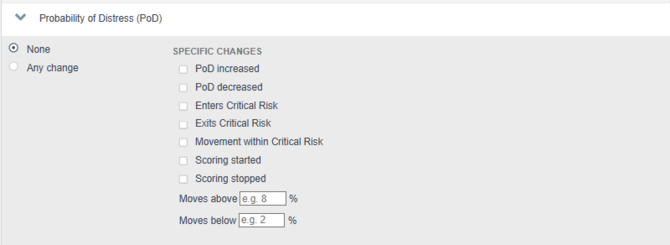
Probability of Distress (PoD®)
- PoD increased
- PoD decreased
- Enters Critical Risk
- Exits Critical Risk
- Movement within Critical Risk
- Scoring started
- Scoring stopped
- Moves above a percentage you set
- Moves below a percentage you set
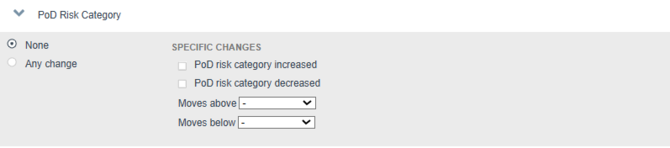
PoD® Risk Category
- PoD risk category increased
- PoD risk category decreased
- Moves above a chosen category: Minimal, Low, Moderate or High
- Moves below a chosen category: Low, Moderate, High or Critical
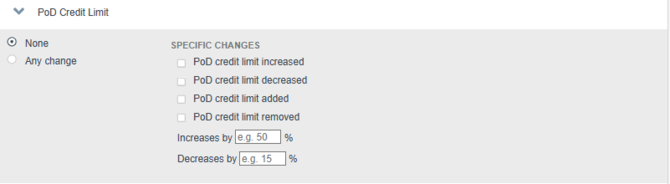
PoD® Credit Limit
- PoD credit limit increased
- PoD credit limit decreased
- PoD credit limit added
- PoD credit limit removed
- Increases by a percentage you set
- Decreases by a percentage you set
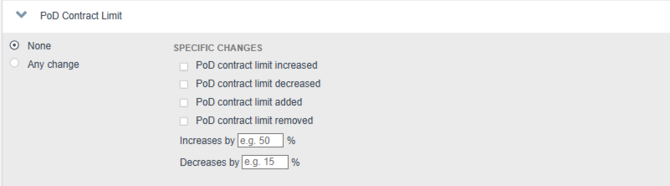
PoD® Contract Limit
- PoD contract limit increased
- PoD contract limit decreased
- PoD contract limit added
- PoD contract limit removed
- Increases by a percentage you set
- Decreases by a percentage you set
If a company gains or loses its PoD®
Sometimes we can't calculate a PoD® for a company, so its score can stop and later start again. Your alerts handle this in a simple way:
-
Losing a score counts as a drop.
-
Gaining a score counts as a rise, and we check where the new score lands. For example, if a company is scored again at 12% and you've set Moves above 10%, you'll get that alert.
The same applies when a PoD® credit or contract limit is removed or added.
| When… | You'll be alerted if you've selected… |
|---|---|
| A company stops being scored | Scoring stopped, PoD decreased, Moves below a percentage, Exits Critical Risk (if it was Critical), Risk category decreased, Moves below a category |
| A company is scored, for the first time or again after a gap | Scoring started, PoD increased, Risk category increased, and any of Enters Critical Risk, Moves above/below a percentage or Moves above/below a category that match where the new score lands |
| A credit or contract limit is removed | Limit removed, Limit decreased, Decreases by a percentage |
| A credit or contract limit is added | Limit added, Limit increased, Increases by a percentage |
Tip: If you only want to know when a company starts or stops being scored, choose Scoring started and Scoring stopped.
Related articles